
You may have experienced the frustration of losing a lead whenever you see a potential customer land on your website, only to walk away without making any contact. The good news? It doesn’t have to be that way.
Bitrix24 CRM forms are among the easiest and most powerful tools that you can apply to offset the gap between a visitor to a site and a real sales conversion.
This guide will take you through everything you should know, including what a CRM web form is, how to install it in Bitrix24, and how to make it work to your advantage.
What Is a CRM Form? Understanding the CRM Form Meaning
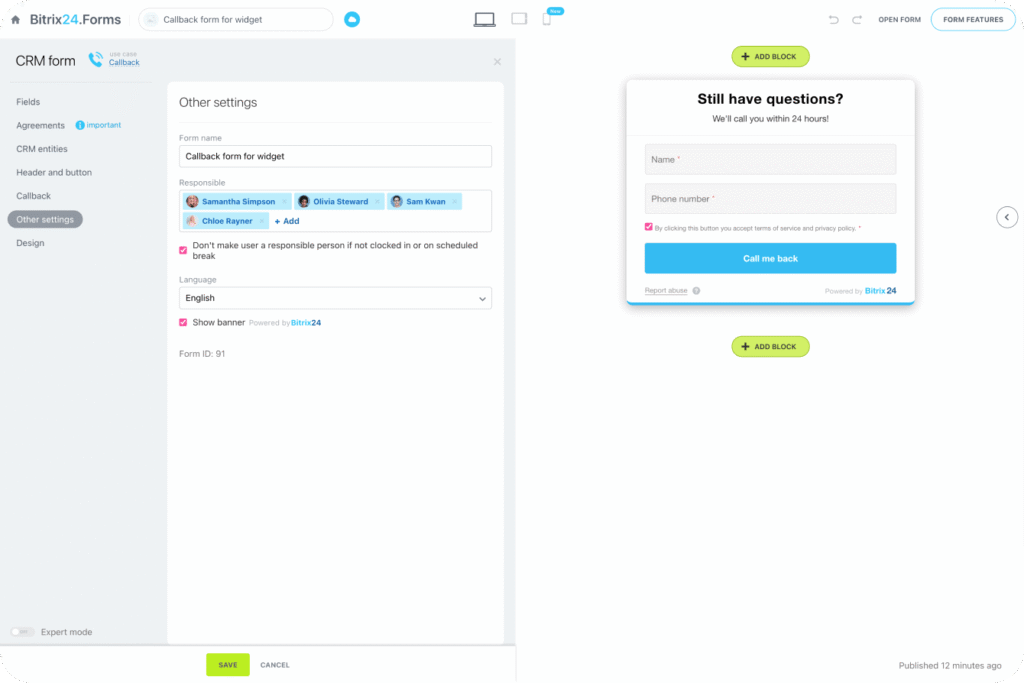
Before we get into specifics about Bitrix24 CRM and the uses thereof, let’s define what a CRM form is. In simple terms, a CRM form is a web-based data entry form that is directly connected to your Customer Relationship Management (CRM) system. Whenever a person completes it, e.g. requesting a demo, subscribing to a newsletter or posing a question, the data will go directly into your CRM as a new lead or contact.
A CRM form is not a generic form that simply emails you; it does a lot more. It cleans up the data, assigns it to the right team member, initiates follow-up processes, and provides you with a complete picture of the origin of that lead. It is the difference between catching fish by hand and using a net.
How to Use Bitrix24 CRM Forms to Capture More Leads
Here are effective tips to use the Bitrix24 CRM web form:
1. Use pre-filled fields for returning visitors
Bitrix24 will allow you to pre-fill some fields in case you already have user data. This saves time for the visitor and raises completion rates. By having fewer fields to fill in, the users will be more likely to fill out the web form. It enhances user experience and maintains data uniformity.
2. Enable automatic lead distribution
You can set up your CRM form to automatically assign leads according to rules, including product interest or region. This guarantees the immediate delivery of the lead to the right sales representative. Quick assignment results in quicker follow-up, and it will directly help you close the deal.
3. Connect forms to email marketing
Integrate your CRM form with your email marketing processes within Bitrix24. You can add someone to a mailing list automatically when he or she completes the form. This assists you in developing leads in the long run rather than a single sales call.
4. Use CRM forms with landing pages
Bitrix24 allows you to link forms to the landing page builder. It comes in handy when placing advertisements or offers. You are able to make one dedicated landing page with one offer and one form. The lesser the distraction, the greater the conversions.
5. Analyze form performance inside CRM
Track the number of submissions per form and which source produces the highest number of leads. Use data to enhance headlines, minimise redundant fields, or reposition. Frequent analysis will enable you to grow the conversion rates without increasing traffic.
6. Use conditional fields to qualify leads
Bitrix24 enables you to display or hide fields depending on the previous responses. Use it to divide serious buyers and general queries. For example, when choosing the Enterprise Plan, you can show the budget or team size fields. This makes the form brief to a majority of the users and gathers more information about the high-intent prospects.
7. Set up automatic confirmation and follow-up emails
Send an immediate confirmation email on receipt of the form. This assures the user that something has been received. You may also set follow-up emails in case the lead fails to respond within a specified period. Regular follow-up enhances engagement and keeps your brand in mind.
A Closer Look at Bitrix24 CRM Form Features
Bitrix24 CRM web forms give you strong built-in tools to capture and manage leads efficiently.
- Custom Fields: Only add the fields you require, and this can be text boxes, dropdowns, dates and file uploads. You gather useful information without waste.
- CRM Integration: Each submission automatically creates a lead or deal in your CRM. No manual entry. No missed data.
- Branding and Design: Make colors, fonts and layouts that suit your brand. A consistent design builds trust and improves conversions.
- Flexible Placement: Add forms to your site, direct links or even pop-ups. Put them in the places where you want your audience to act.
- Spam Protection: CAPTCHA is included to prevent bots and ensure the integrity of your CRM data.
- Conditional Logic: Show or hide fields based on user responses. Keep forms short while capturing detailed information when needed.
- Notifications and Automations: Get instant alerts when someone submits a form. Trigger follow-ups, assign leads, and start workflows automatically.
The Bottom Line
Bitrix24 CRM forms are one of those tools that look simple at first glance, but when used in the right way, they can really make a difference in business. They minimize the gap between interest and action, maintain the clarity and structure of your CRM data. Enable your team to do follow-ups more quickly.
Need expert support with setup and integration? Sarasuk Tech can help you implement and customize Bitrix24 CRM based on your business process. From form configuration to automation and lead routing, our team ensures your system works smoothly from day one.