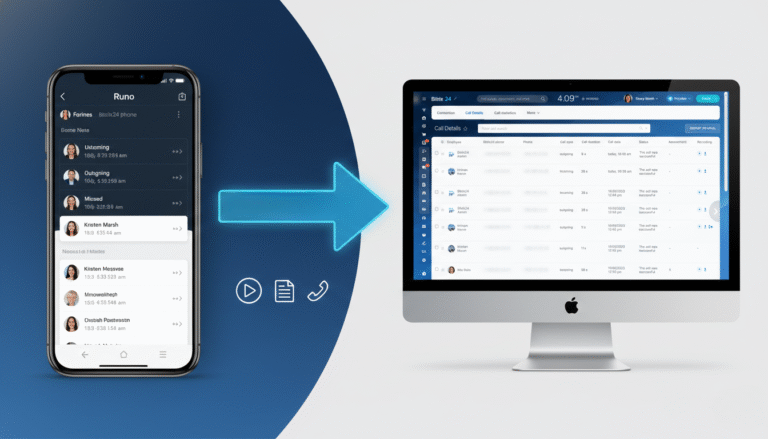
Good team communication makes all the difference. Team members lose time and clarity when messages, files, tasks, and meetings are in different applications. That’s where Certified Bitrix24 partner steps in.
It gives you one platform to communicate, coordinate, and collaborate. It provides you with just one platform to interact, organize and work jointly. When you centralize your communication in Bitrix24 and let Sarasuk Tech configure it around your exact workflow, you remove confusion, cut manual effort, and keep every team member aligned on the same goals and priorities.
In this guide, you will find information on how Bitrix24 centralizes all the communication for your teams and why this information is of great importance to every team member.
Why Centralized Communication Matters?
Your team likely uses multiple tools every day. Such as:
- Chat apps for quick updates.
- Project management systems to track work.
- Email for formal communication.
- Video links for meetings.
- File-sharing platforms for documents.
You are wasting time opening and closing applications. Messages are lost or buried, you lose context, and it becomes more difficult to make decisions, as no one can see the entire picture.
Centralizing all communication makes one source of truth in all discussions; all discussions are done in one place. Alerts become structured and relevant. Your team responds faster because information is easy to find. Accountability improves because everyone can clearly track discussions and actions.
Bitrix24: The Single Hub for Every Team Conversation
Bitrix24 provides you with all of the tools you need for communication:
- Quick Conversations through Instant Messaging: Have a one-on-one chat or a group of people. It has the capability to share images, files, URLs or project updates in real time. This ensures that teams are easy to maintain without having to make follow-ups through email.
- Group Channels to Manage Topics: Create channels by departments to announce new products, share internal news, celebrate an event, etc. All of the members in your team are able to see the information that is relevant to them, and also, when new members join, they will automatically be included in the appropriate channel discussions.
- Integrated Online Meetings or Video Chats: Video chats, online meetings, and video calls can be scheduled in Bitrix24. During the call, you can share your screen, record the meeting and have a face-to-face connection with your staff without a separate software application.
- Activity Feed and News Stream: Post messages, updates, reports, and or objectives. This becomes your internal news board where every team sees important business updates.
This range of tools reduces app switching and makes communication more predictable and searchable.
Turn Communication into Coordinated Action with Bitrix24
Connect Conversations to Tasks and Projects
Bitrix24 converts everyday chats into structured tasks and project updates. Discussions link directly to workflows, files, and deadlines. Your team moves from conversation to execution quickly, without losing context or repeating instructions.
Centralize External Communication
Bitrix24 unites emails, phone calls, and chat with your CRM data. All of the leads, deals, and customer profiles have the entire history of interaction. Your team can access the right information in real time and react to it clearly and confidently.
Mobile Connectivity for Real-Time Collaboration
Bitrix24 mobile app makes your team stay in touch anywhere. You can get notifications, organize work, use chats, and update CRM records in real-time, making decision-making faster and keeping everything and everybody on track.
Smart Notifications for Better Focus
Notifications can be tailored so that your staff can focus on the valuable updates. Notifications are in line with tasks, milestones and meetings. You minimize distractions, avoid delays, and avoid focusing on low-impact work on a daily basis.
Security and Access Control
Bitrix24 secures sensitive information through role-based control and access control settings. You govern cross-team and project visibility, complying and allowing safe and confident teamwork.
How Sarasuk Tech Makes It Work for You?
Implementing a platform like Bitrix24 without guidance can be overwhelming. That is where Sarasuk Tech adds value:
- Personalized setup to match your workflow
- Training for your team from day one
- Automation rules to reduce manual work
- CRM integration for sales and service teams
- Ongoing support to scale your system
Sarasuk Tech will help your Bitrix24 implementation become an effective and efficient communication hub rather than another tool you ignore.
Steps to Centralize Your Team’s Communication
Follow these simple steps:
- Carry out a comprehensive review of the already existing communications tools and functions.
- Identify your essential communication requirements (chat, video, CRM, files, and so on).
- Create channels and groups that you desire in Bitrix24.
- Train your team on how to properly use chat, video calls, and shared calendars.
- Integrate your CRM, tasks, and notifications to streamline communication with your team.
- Improve communication workflow through automation.
- Review the effectiveness of team communication periodically and adjust it.
This outline provides you with a clear roadmap and gives you a structure to measure how you communicate with your team.
Final Word
Centralizing communication prevents confusion. It saves time. It aligns teams. Bitrix24 does all this inside one platform. Sarasuk Tech helps you set things up, build custom workflows, and train your team, so all those fancy features actually help you get work done.
If your team feels scattered by too many tools, let us show you how Bitrix24 brings everything together. You’ll stay connected, organized, and actually work as a team.