If you’ve ever felt that your leads, customer conversations, or follow-ups are scattered across emails, spreadsheets, WhatsApp messages, and team members’ memories , you’re not alone.
This is usually the point where businesses start looking into CRM software.
Not because it’s trendy.
But because managing customers without a system starts becoming risky.
What does CRM actually mean?
CRM stands for Customer Relationship Management.
In simple terms, CRM software helps businesses manage all customer and lead information in one place, so nothing important is missed.
Instead of:
- Searching emails for past conversations
- Asking teammates for updates
- Guessing which deal is likely to close
A CRM shows you everything clearly , who the customer is, what stage they’re in, and what needs to happen next.
Why CRM software is no longer optional
As businesses grow, customer handling becomes more complex.
You may have:
- Multiple salespeople handling leads
- Marketing campaigns running on different platforms
- Support teams responding to ongoing queries
- Managers needing clear visibility on performance
Without a CRM, things depend too much on individuals.
With a CRM, processes become consistent.
That consistency is what improves customer experience and revenue over time.
What CRM software helps you do in real life
CRM blogs often talk in big terms, but here’s what CRM actually does day to day.
It captures leads from your website, ads, or manual entries.
It stores all contact details and communication history.
It tracks deals through a sales pipeline.
It reminds teams when follow-ups are due.
It gives managers a clear picture of sales progress.
Instead of reacting late, teams start acting on time.
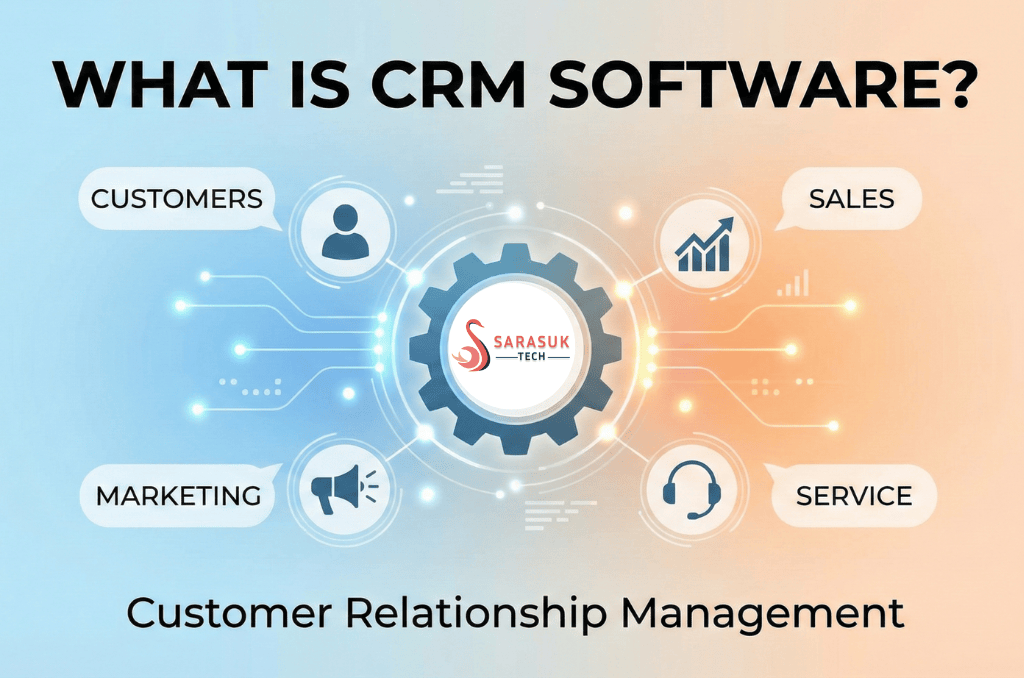
CRM for sales, marketing, and support , not just sales
Earlier, CRM tools were mostly built for sales teams.
Today, modern CRM software supports the entire customer journey.
Sales teams use CRM to track leads and deals.
Marketing teams use it to understand lead quality and conversions.
Support teams use it to resolve issues faster with full context.
Management uses it for reporting and forecasting.
A good CRM connects departments instead of isolating them.
Cloud-based CRM vs traditional CRM systems
Most modern CRM platforms are cloud-based.
That means:
- No local installation
- Access from anywhere
- Automatic updates
- Easy scalability as teams grow
Cloud CRM works especially well for remote teams and fast-growing businesses, where flexibility matters more than rigid infrastructure.
How automation and AI improve CRM usage
CRM automation doesn’t remove human interaction , it removes repetitive work.
Automation helps with:
- Assigning leads automatically
- Sending follow-up reminders
- Updating deal stages
- Triggering tasks and notifications
AI adds another layer by analysing data patterns, helping teams prioritise leads and make smarter decisions without manual analysis.
Common mistakes businesses make with CRM
One of the biggest reasons CRM implementations fail is overcomplication.
Some businesses choose software that:
- Is difficult to use daily
- Requires constant IT support
- Forces rigid workflows
- Is only used by management, not teams
CRM works best when it fits into daily operations naturally.
If the team avoids using it, the system fails , regardless of brand name.
Why all-in-one CRM platforms work better
Many companies use separate tools for:
- CRM
- Team communication
- Task management
- Project tracking
Over time, this leads to confusion and duplicate work.
All-in-one CRM platforms solve this by combining customer management with collaboration, tasks, and workflows in one system.
This approach improves adoption and keeps everyone aligned.
Where Bitrix24 CRM fits in
Bitrix24 CRM is designed for businesses that want more than just a contact database.
It combines:
- CRM and sales pipeline management
- Lead and deal automation
- Team chat and collaboration
- Task and project management
- Workflow automation
Instead of juggling multiple tools, teams can manage customers and internal work in one place.
This makes Bitrix24 especially suitable for small to mid-sized businesses and growing organisations.
Is CRM software worth it for small businesses?
Yes , especially when growth starts picking up.
CRM helps small businesses:
- Look professional and organised
- Respond faster to leads
- Avoid losing opportunities
- Scale without chaos
The key is choosing a CRM that grows with the business, not one that becomes complicated too early.
Final thoughts
CRM software is not about tracking customers , it’s about understanding them better.
When teams have clarity, customers feel valued, and decisions are made with confidence instead of guesswork.
The right CRM doesn’t slow you down.
It quietly supports your growth in the background.
And that’s exactly what a well-implemented CRM should do.